
How to Use WhatsApp Web: Login Steps, Features, and Productivity Tips
In today’s digital age, WhatsApp has become a primary tool for communication. With WhatsApp Web, you can easily send messages and stay in touch with friends and family right from your computer. By simply scanning a QR code with your phone, you can sync your chats to your computer. This eliminates the need to constantly check your phone screen, enhancing both productivity and communication. WhatsApp Web makes it much more convenient to stay connected with loved ones while using your computer.
How to Log In to WhatsApp Web
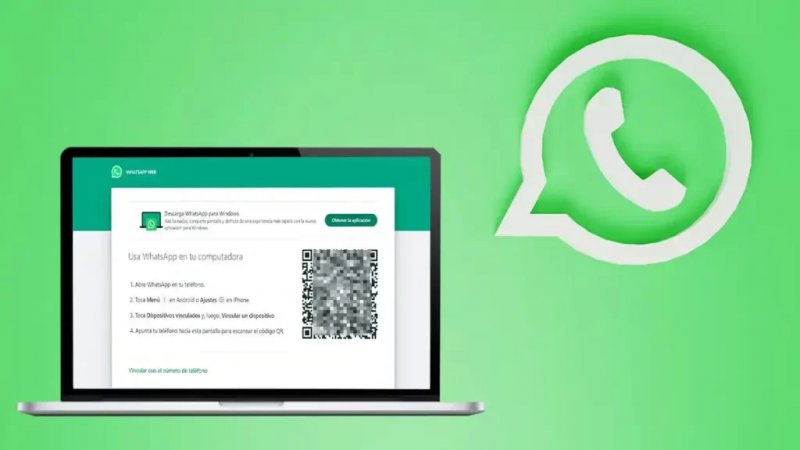
First, ensure both your phone and computer are connected to the internet to use the web app smoothly. Open your browser and visit WhatsApp Web; you will see a QR code. Next, open WhatsApp on your phone, select “Linked Devices” from the settings, and scan the displayed QR code. This process is quick and simple, making it easy to send messages from your computer. You can even use your keyboard for rapid typing, significantly improving communication efficiency.
Why Use WhatsApp Web on Your Computer
In today’s digital age, WhatsApp has become an essential communication tool. Users frequently rely on WhatsApp Web to boost efficiency in both their professional and personal lives. Accessing WhatsApp Web via a computer not only makes messaging more convenient but also allows you to handle important conversations on a larger screen, ensuring smoother social interactions and communication.
What’s New in the Latest Version
The latest version of the app introduces a host of new features designed to significantly enhance the user experience. Notable improvements include a refined interface design and faster message transmission, making interactions simpler and saving time.
Convenient Features: Voice Messages, Emojis, and File Sharing
In addition, WhatsApp Web offers a variety of convenient features. You can send voice messages and add emojis to express emotions and make conversations more engaging. Sharing media is also effortless—simply drag and drop files into the chat window.
Furthermore, WhatsApp Web supports robust file transfer capabilities, allowing you to easily share documents, images, videos, and other file formats. This greatly facilitates information sharing among team members, ensuring everyone has access to the latest materials.
Using WhatsApp Web for Remote Work and Team Productivity
In today’s digital era, remote work is a growing trend. For many, using the web version of WhatsApp has become a crucial method of communication. How to log in to WS Web allows you to conveniently chat with colleagues in real-time, thereby boosting work efficiency.
Businesses can also use the platform to send notifications and reminders, keeping the team aligned and minimizing misunderstandings or oversights. Effectively using chat categories and labels is another key to boosting efficiency. WhatsApp Web allows you to organize chats by project or department, making it quick to locate specific conversations and saving time on information management. This enables you to focus more energy on high-value tasks and improve overall productivity.
Security and Data Protection
For users concerned about data protection, WhatsApp Web offers strong security guarantees. All chat history is end-to-end encrypted, so you can share important content with confidence, knowing your data is safe from leaks.
Tips for Privacy and Updates
Finally, remember to update your software regularly to access the latest features and security fixes. You can also manage privacy and messaging settings through the available options. Once you are familiar with these features, using WhatsApp Web becomes effortless—say goodbye to tedious mobile operations and enjoy a more seamless chatting experience. These tips will help you communicate online with greater ease, allowing for truly unrestricted chatting on your computer.
Conclusion
Ultimately, WhatsApp Web brings flexibility and efficiency to remote work, allowing you to stay connected whether you are in the office or elsewhere. Making the most of this tool can make your remote work experience more comfortable and help you excel in your career.
All in all, mastering How to log in to WhatsApp Web can turn you into a chat pro; with a little practice and exploration, you’ll discover a range of features and ways to use the platform. So, give it a try and level up your chatting skills!